Guides
ChatGPT, Nano Banana, Midjourney and More: AI Image Generators Compared
The pros and cons of the main AI image generators in late 2026 (ChatGPT, Google’s Gemini and Nano Banana, Midjourney, Adobe Firefly, Flux, Ideogram, Grok and Copilot), what each is best at, and what to watch for with any of them.
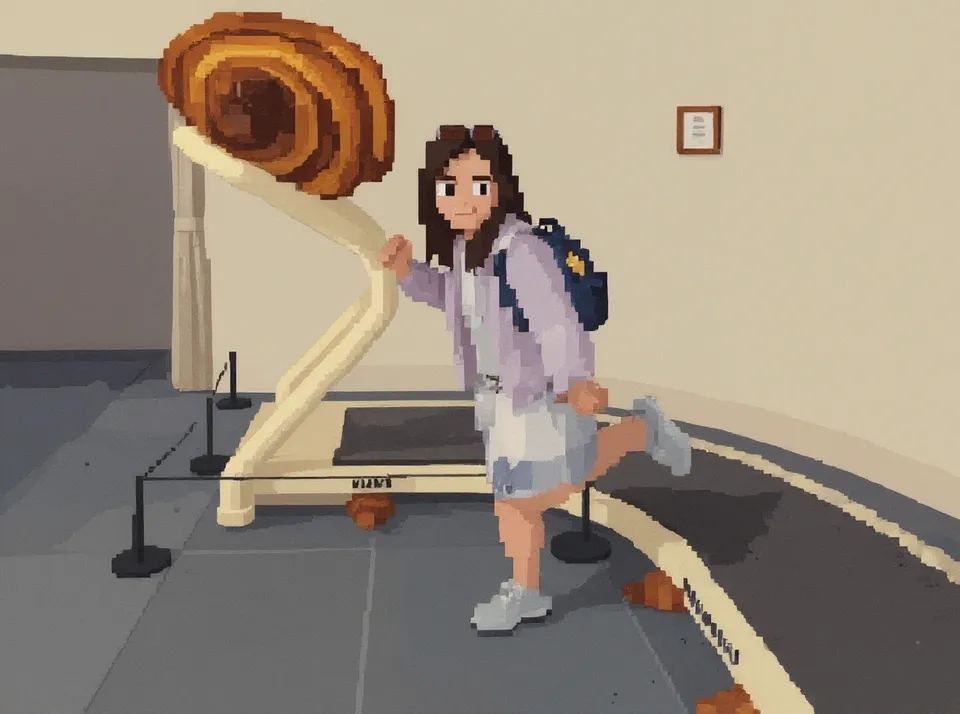
A few years ago there was one well-known AI image generator. Now there are dozens, and the big ones leapfrog each other every few months. They all turn a sentence into a picture, but they’re good at different things: some follow instructions to the letter, some make the prettiest pictures, and some are best at editing a photo you already have.
Here’s how the main ones compare as of November 2026. Version numbers, prices and free limits change often, so check each tool’s own site before you pay for anything.
The comparison at a glance
| Tool | Pros | Cons | Free? |
|---|---|---|---|
| ChatGPT OpenAI Best for: Detailed instructions, text in images, editing by chatting |
|
| Yes, with limits |
| Gemini (Nano Banana) Google Best for: Editing your own photos, quick everyday images |
|
| Yes |
| Midjourney Midjourney Best for: Artistic, atmospheric images |
|
| No |
| Adobe Firefly Adobe Best for: Commercial work, editing inside Photoshop |
|
| Yes, with limits |
| Flux Black Forest Labs Best for: Photorealism, running a model yourself |
|
| Through other apps |
| Ideogram Ideogram Best for: Logos, posters, typography |
|
| Yes |
| Grok Imagine xAI Best for: Fast images inside X |
|
| No |
| Microsoft Copilot Microsoft Best for: Free, simple images |
|
| Yes |
ChatGPT (OpenAI)
ChatGPT makes images with OpenAI’s GPT Image models, right in the chat. Its biggest strength is understanding exactly what you asked for: a long prompt with five objects in specific places, a menu with real words on it, or a diagram with labels usually comes out right the first time. You can then ask for changes in plain language (“make the sky darker”, “move the dog to the left”) without starting over.
The downsides are speed and limits. It’s slower than most others, and the free plan only allows a few images before you have to wait. When editing a photo of real people, it sometimes redraws faces slightly differently, which is easy to miss until someone says “that doesn’t look like me”.
Gemini and Nano Banana (Google)
“Nano Banana” started as the nickname of Google’s Gemini image model and stuck; it’s now the name Google uses too, with a stronger “Pro” version alongside it. You use it in the Gemini app, Google Photos and other Google products.
It’s the best of the group at editing photos of real people while keeping them recognizable: change the background, the outfit or the lighting and the face stays the same. It’s fast, can blend several photos together, and Google gives away more free images than anyone else. The catch is that the Pro model is limited to a handful of free images a day, free images carry a small visible watermark (all of them also have an invisible one called SynthID), and for pure artwork its look is less distinctive than Midjourney’s.
Midjourney
Midjourney has always been the artist’s choice. Ask for “a lighthouse in a storm” and you’ll get something that looks like it belongs in a gallery, with lighting and composition you didn’t have to describe. Its style reference tools make it easier to keep a series of images looking consistent.
It has no free plan, and its plans start at US$10 a month. It also takes more liberties with your prompt: it will often choose what looks good over what you literally asked for, and text in images is less reliable than in ChatGPT or Ideogram. On the cheaper plans, your images are visible to other users on its website.
Adobe Firefly
Adobe trains its own Firefly models on content it has the rights to, like Adobe Stock, which makes it the safest pick when images are for a business, a client or an ad. It’s also built into Photoshop, where Generative Fill lets you select part of a photo and replace or extend it, which is often more useful than making a whole new image.
Its own model’s images can look a bit like stock photos: clean and competent, but rarely surprising. Firefly now also lets you use other companies’ models (including Google’s and OpenAI’s), but Adobe’s commercial-safety promise only covers its own, so check which one you picked.
Flux and other open models
Flux, from Black Forest Labs, comes in versions you use online and versions you can download and run on your own computer. That makes it the main choice for people who want full control, privacy, or to fine-tune a model on their own images. It’s strong at realistic photos, and its Kontext models are good at editing an existing image. Many other apps quietly use Flux behind the scenes. Stable Diffusion and newer open models like Qwen-Image fill the same role.
Running it yourself takes a powerful graphics card and some patience with setup, and the downloadable versions generally need a paid licence for commercial use. If you just want to try it, use one of the websites that offer it.
Ideogram
Ideogram focuses on text and design. For a poster, a logo idea, a party invitation or a t-shirt slogan where the words need to be spelled right and look good, it’s one of the most dependable choices, and it has a free plan. It’s less suited to editing photos of real people, and images made on the free plan are public.
Grok Imagine (xAI)
Grok Imagine is built into X (formerly Twitter) and is very fast. It has looser content rules than the others, which some people like for creative freedom, but that has also led to well-publicized misuse, including fake images of real people. It needs a paid X subscription, and its accuracy and quality are behind the leaders.
Microsoft Copilot
Copilot’s image creator is free with a Microsoft account and built into Windows, Edge and Microsoft Designer, and it uses models from OpenAI among others. It’s an easy way to try AI images without signing up for anything new, but it has few settings and strict filters, and you get fewer features than going straight to the companies that make the models.
Which one should you use?
- Editing a photo of real people: Gemini (Nano Banana) keeps faces most faithfully; ChatGPT is close behind.
- A specific scene with lots of details: ChatGPT.
- Beautiful artwork, where the look matters more than the details: Midjourney.
- Words in the image: Ideogram or ChatGPT.
- Work for a business or client: Adobe Firefly’s own models.
- Privacy and control: Flux or another open model on your own computer.
- Free and quick: Gemini or Copilot.
Things to watch for with any of them
- Faces drift. Even the best editors can change someone’s face, hair or proportions a little. Compare the result with the original side by side before you share or print it.
- Check the small things. Hands, jewelry, glasses, the number of people and any text are where mistakes hide.
- Read the privacy settings. Some services can use your uploads to improve their models unless you turn that off, and some show your images publicly. Think twice before uploading photos of children or of anyone who hasn’t agreed to it.
- Ownership is unsettled. In the US, images made entirely by AI can’t be copyrighted, and each service has its own terms about what you can do with the results. If it matters, read them.
- Start from a good photo. When you’re transforming a photo, the result is only as good as what you give it. Our guide to choosing a photo for AI art covers what works best.